
How to Prepare and Share GLP-1 Data for Physician Visits: A Comprehensive Guide
Learn how to collect, organize, and share your GLP-1 data for physician visits to optimize patient care and facilitate effective, informed appointments.

Estimated reading time: 8 minutes
Key Takeaways
- Collect and organize critical GLP-1 data from labs, devices, EHRs, and logs.
- Use templates and digital tools for clear, concise summaries.
- Share effectively with physicians by prioritizing key metrics and visual aids.
- Maintain data integrity through calibration, timestamps, and consistent logging.
- Prepare for common questions to maximize appointment productivity.
Table of Contents
- Section 1: Understanding GLP-1 Data for Physician Visits
- Section 2: Preparing GLP-1 Data for Physician Visits
- Section 3: Sharing GLP-1 Data for Physician Visits Effectively with Physicians
- Section 4: Ensuring Reliability of GLP-1 Data for Physician Visits
- Section 5: Case Studies for GLP-1 Data for Physician Visits
- Section 6: Resources and Further Reading for GLP-1 Data for Physician Visits
- Conclusion: Mastering GLP-1 Data for Physician Visits
Section 1: Understanding GLP-1 Data for Physician Visits
GLP-1 (glucagon-like peptide-1) is a gut hormone that:
- Stimulates insulin release and lowers blood sugar.
- Suppresses glucagon to prevent excess glucose.
- Slows gastric emptying, increasing fullness and reducing appetite.
GLP-1 receptor agonists mimic this hormone and are used for:
- Type 2 diabetes management (improved A1c and fasting glucose).
- Obesity treatment (steady weight loss).
- Cardiovascular and kidney risk reduction in high-risk patients.
Section 2: Preparing GLP-1 Data for Physician Visits
2.1 Data Collection Steps
- Medication list: name, dose, schedule, start/stop dates, side effects.
- Glucose readings: 1–4 weeks of fasting, pre- and post-meal values; note highs and lows with context.
- Weight and vitals: weekly weight and home blood pressure.
- Lab results: dates/values for A1c, kidney, liver tests, and lipids.
- Symptom log: GI issues (onset, triggers), hypoglycemia episodes.
For more on how to set up a robust logging system, see robust logging system guide.
2.2 Organizing Your Data
- Use a one-page summary template: Medications, Glucose Trends, Weight/Vitals, Labs, Symptoms.
- Leverage spreadsheets or apps; label timelines for dose changes and events.
- Verify accuracy: check timestamps, correct outliers, fill missing entries.
2.3 Importance of Historical Records & Digital Tools
Historical data reveals long-term trends (A1c drop, weight loss) and early warning signs. Digital tools can auto-sync readings, generate graphs, and send reminders.
Section 3: Sharing GLP-1 Data for Physician Visits Effectively with Physicians
3.1 What to Bring
- Printed/digital medication list with dose history.
- Summary of glucose data: averages, ranges, hypoglycemia episodes.
- Weight trend chart and recent lab results.
- Symptom log with dates and severity.
For detailed sharing tips, see detailed sharing tips.
3.2 Communication Best Practices
- Start with medication, dose, and indication (diabetes vs. obesity).
- State goals: “Is this dose optimal?” or “Can we adjust my other meds?”
- Offer simple summaries: “Avg. fasting glucose 110–120 mg/dL,” “8-lb weight loss in 3 months.”
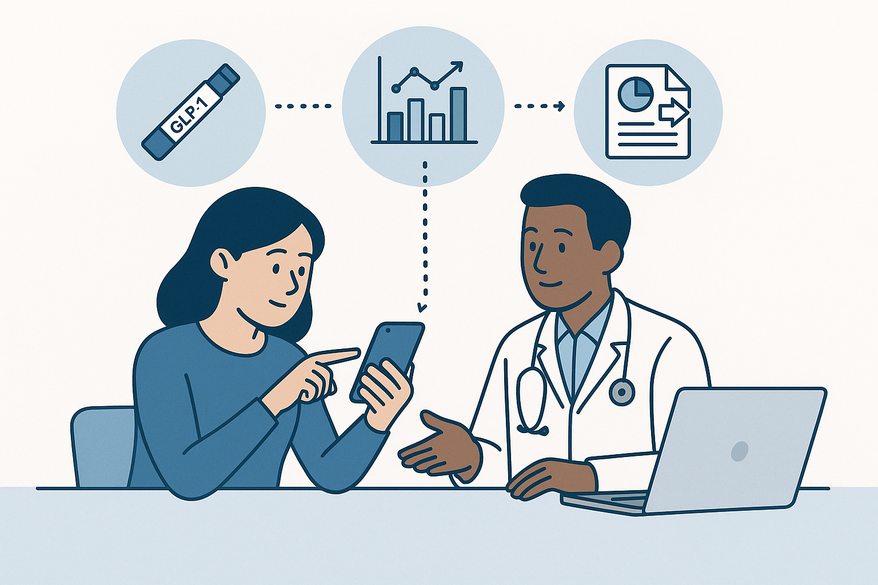
- Use visual aids: line graphs, CGM time-in-range reports.
- Prioritize safety: hypoglycemia, severe GI symptoms, pregnancy status.
3.3 Anticipated Questions
- Dose frequency and missed injections.
- Side effect onset and severity.
- Hypoglycemia context and readings.
- History of pancreatitis, GI disease, kidney issues.
- Diet and exercise changes since starting therapy.
Section 4: Ensuring Reliability of GLP-1 Data for Physician Visits
4.1 Maintaining Data Integrity
- Verify device calibration, replace strips/sensors on schedule.
- Confirm time/date settings on all devices.
- Log readings daily or use auto-sync.
- Update medication changes immediately.
- Choose reputable apps and check privacy settings.
4.2 Handling Inconsistent Data
- Flag and repeat extreme readings.
- Inspect device: battery, sensor placement, strip expiry.
- Label questionable entries in your log.
- Inform your physician about unreliable data points.
Section 5: Case Studies for GLP-1 Data for Physician Visits
5.1 Case Study: Type 2 Diabetes Patient
- Age 55, tracks 3 months of glucose and weight; logs mild nausea.
- Outcome: A1c dropped from 8.2% to 7.0%, lost 10 lb, no hypoglycemia.
- Decision: maintain GLP-1 dose, reduce another diabetes medication.
5.2 Case Study: Weight-Loss Patient with Side Effects
- Age 45, logs modest weight loss but frequent nausea/vomiting; A1c unchanged.
- Outcome: benefit vs. side effects unclear.
- Decision: discuss dose reduction or alternative therapy.
Section 6: Resources and Further Reading for GLP-1 Data for Physician Visits
- Cleveland Clinic – GLP-1 agonists overview
- NCBI Bookshelf – GLP-1 receptor agonists
- National Academy of Medicine – Understanding GLP-1 drugs
- BSW Health – GLP-1 medication guide
- Providence – What to expect from GLP-1 meds
- ADA Standards of Care; Endocrine Society guidelines; Obesity Medicine Association (search online)
Conclusion: Mastering GLP-1 Data for Physician Visits
Accurate, well-organized GLP-1 data—including medication details, glucose trends, weight, labs, and symptom logs—enables physicians to track therapy effectiveness, adjust doses safely, and manage risks. By preparing clear summaries, using digital tools, and communicating effectively, you make every appointment more productive and support better health outcomes. Keep your logs updated, maintain data integrity, and stay current with clinical guidelines to get the most from your GLP-1 therapy.
FAQ
- What is GLP-1 data for physician visits?
GLP-1 data includes hormone/medication history, glucose readings, weight/vitals, lab results, and symptom logs used during medical appointments. - How do I organize my GLP-1 data?
Use a one-page template or digital app with sections for meds, glucose trends, weight/vitals, labs, and symptoms. Verify timestamps and correct errors. - What should I bring to my appointment?
A medication list, glucose summary, weight chart, lab results, and symptom log—printed or digital—to discuss with your physician. - Which tools can help with logging?
Apps that auto-sync with glucometers and fitness trackers, like Trimm, can generate trend graphs and reminders. - How do I ensure data reliability?
Calibrate devices, confirm date/time settings, log daily (or enable auto-sync), and flag any questionable readings for your physician.